Keep your API keys safe
Checked against the product on November 25, 2026
Short answer
Workspace API keys start with fmt_live_ (or fmt_test_) and are shown only once, when you create them. Store a key like a password, and revoke it in Settings > API keys & MCP the moment you think it has leaked.
API keys let MCP clients such as Cursor or Claude Desktop, and your own scripts, act on a workspace. A key carries the workspace permissions of the person who created it, so it can never do more than that person can.
How keys look and are stored
- Keys created in the app start with fmt_live_. Test keys start with fmt_test_.
- FormitAI stores only a hash of the key. After creation, the list shows just the key name and the start of the key, so nobody can read the full secret again.
- Each workspace can have up to 20 active keys.
Create a key
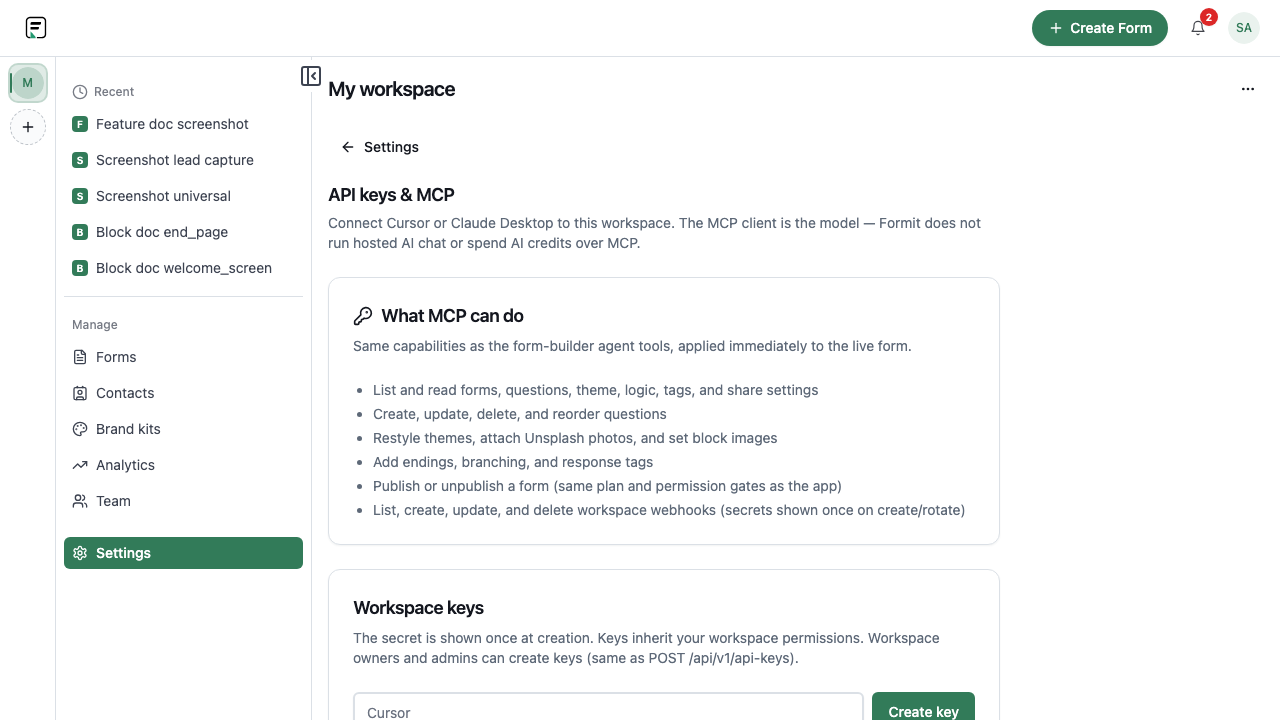
- In the dashboard, open Settings and select API keys & MCP.
- Under Workspace keys, enter a Key name that says where it will be used, for example the client or server name.
- Select Create key.
- Copy the secret now. The page warns: "Copy this secret now. It will not be shown again."
- Paste it straight into your MCP client or a secrets manager.
Revoke a key
- Open Settings > API keys & MCP.
- Select the delete icon next to the key.
- In "Revoke this key?", select Revoke. MCP clients using this key stop working immediately.
Good habits
- Never put a key in public code, a shared document or a chat message.
- Use one key per client or server so you can revoke one without breaking the others.
- To rotate a key, create a new one, update your client, then revoke the old one.
- Revoke keys when a team member who created them leaves.
- Where your MCP client supports OAuth, connect with OAuth instead of a key.